IT Technology Project
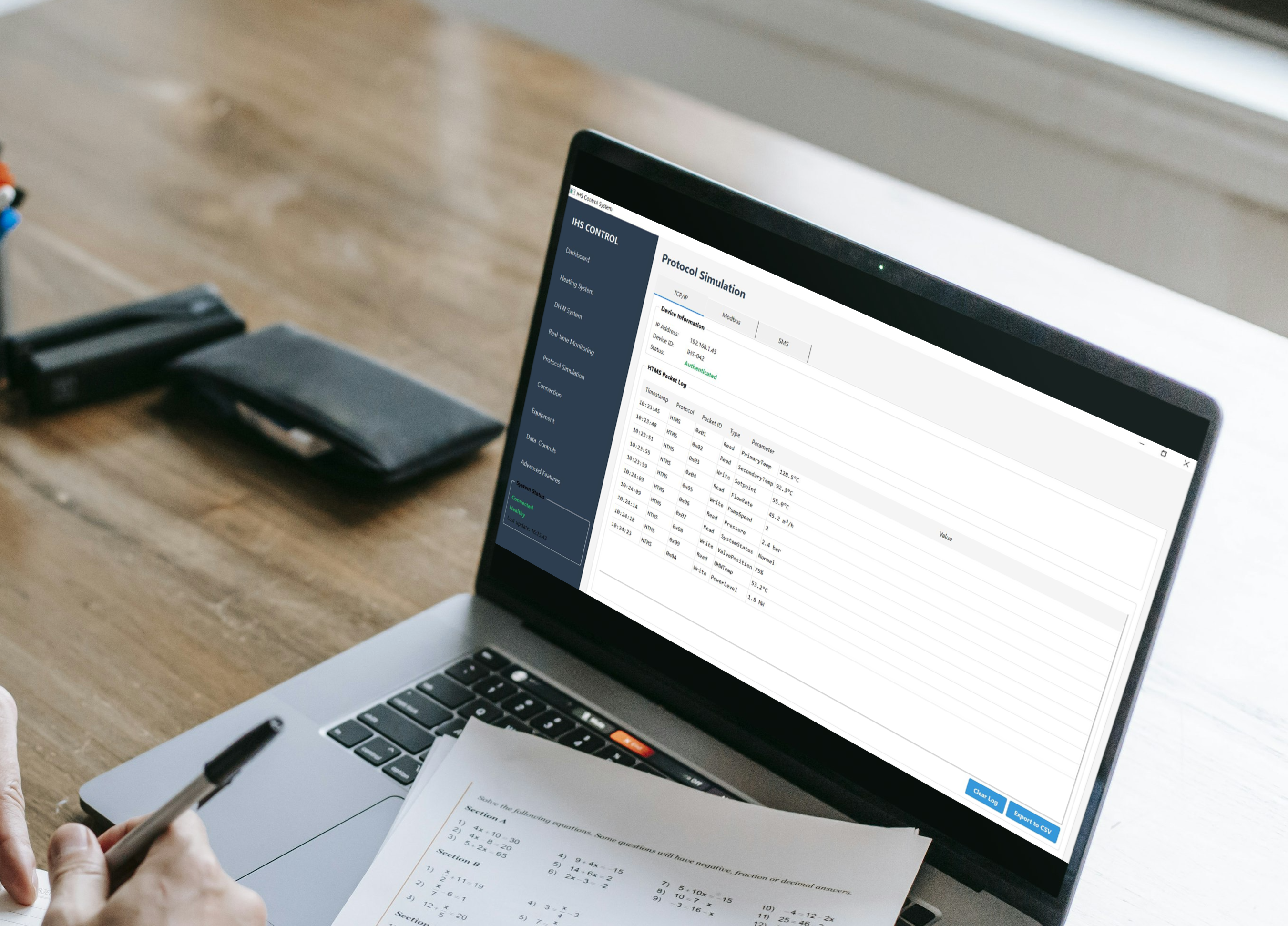
Protocol Simulation
The IHS Control System is a desktop-based graphical application designed to simulate and control district heating and domestic hot water (DHW) subsystems. The software replicates all key operational and diagnostic aspects of a physical IHS (Individual Heating Substation), and allows the users to interact with a virtual system that mimics real-time performance. The software interface consists of two main areas: A left-hand sidebar that provides navigation to all major pages. A main content area that changes based on the selected page
TCP/IP Simulation
- Shows HTMS protocol packet flow
- Each row shows timestamp, command type, and value (e.g., temperature read/write)
- Click "Export to CSV" for offline inspection
Modbus Simulation
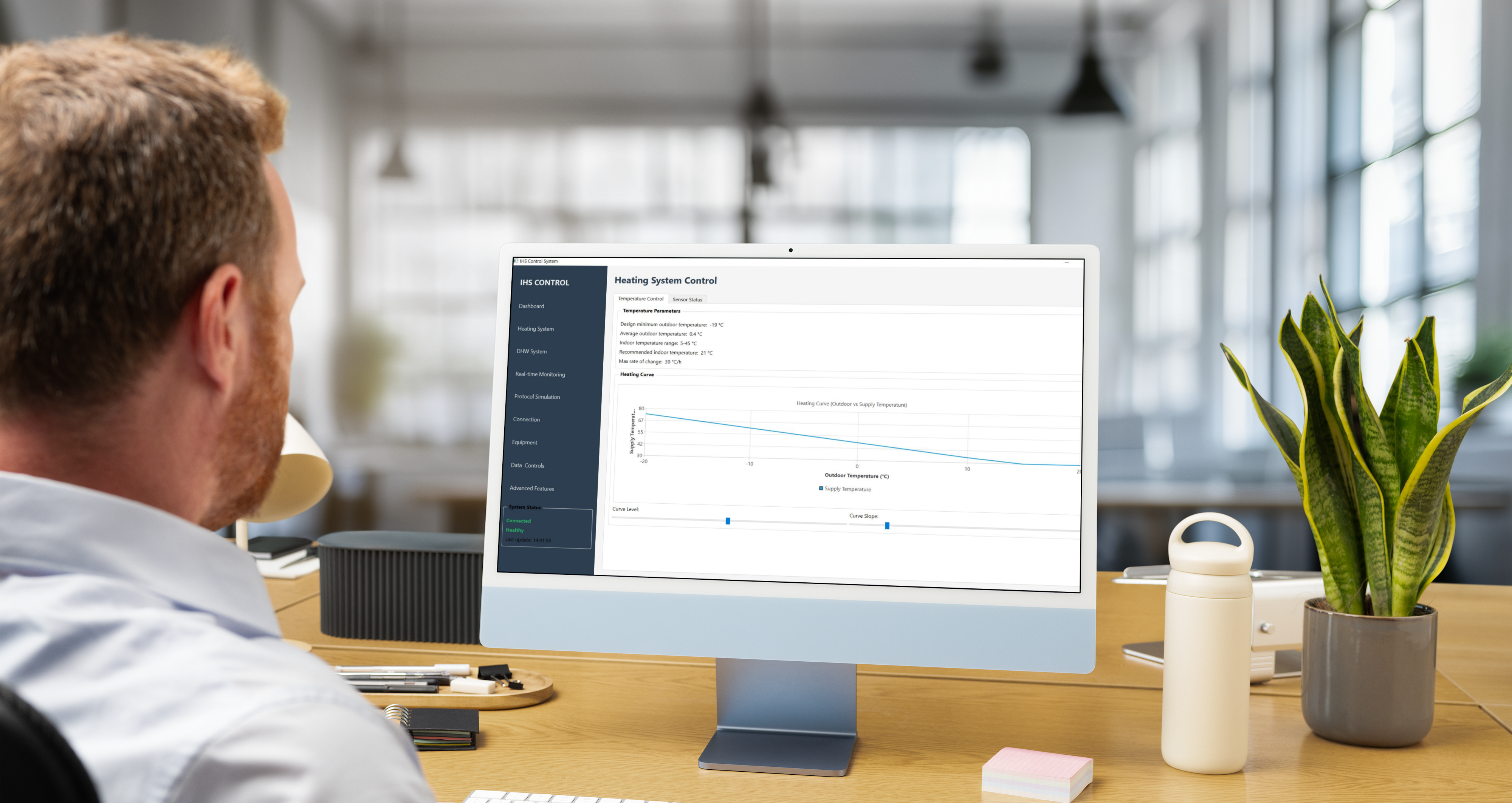
Displays a list of simulated registers with address, parameter name, and value. Data types and access (Read-only or Read/Write) are indicated.

Domestic Hot Water System
DHW Temperature Setpoint and Control System for district heating management.
DHW Temperature Setpoint
- Adjust using the slider (40–70°C). The default is 55°C
- Below, the current measured temperature is displayed
Inlet/Outlet Temperature Cards
- Show temperatures at critical DHW points: Cold inlet (5°C), Hot outlet (53°C)
- Supply and Return from exchanger
Water Quality Indicators
- Automatically assesses Iron content, Oxygen level, and Suspended particles
- Status labels (Normal, High, Warning) are color-coded for quick evaluation
Recirculation Pump
- Shows pump status and last activation time
- Can be manually overridden if needed (checkbox)
Water Usage Panel
- Real-time flow rate in m³/h
- Accumulated usage (m³) for billing or efficiency review
Real Time Monitoring
This section controls and monitors the DHW side of the IHS.
DHW Temperature Setpoint
- Adjust using the slider (40–70°C). The default is 55°C
- Below, the current measured temperature is displayed
Inlet/Outlet Temperature Cards
- Show temperatures at critical DHW points: Cold inlet (5°C), Hot outlet (53°C)
- Supply and Return from exchanger
Water Quality Indicators
- Automatically assesses Iron content, Oxygen level, and Suspended particles
- Status labels (Normal, High, Warning) are color-coded for quick evaluation
Recirculation Pump
- Shows pump status and last activation time
- Can be manually overridden if needed (checkbox)
Water Usage Panel
- Real-time flow rate in m³/h
- Accumulated usage (m³) for billing or efficiency review
Heating System Control
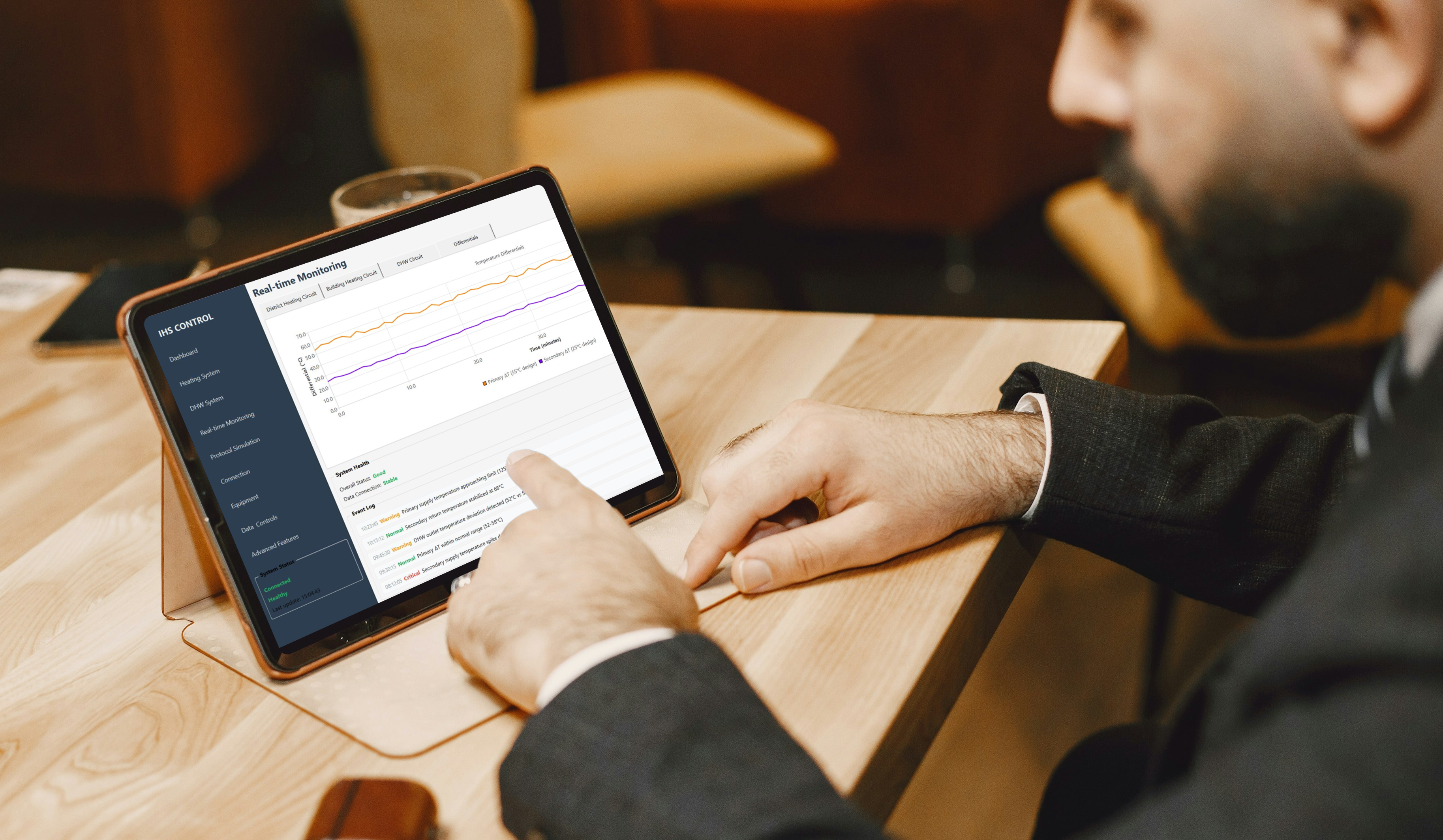
Real-time Monitoring with interactive, zoomable charts that update each minute.
District Heating Circuit (Primary Side)
- Shows supply/return temps from central district supply
Building Heating Circuit (Secondary Side)
- Shows building loop temps
DHW Circuit
- Tracks DHW supply, return, and outlet temperatures
Temperature Differentials
- Delta T values showing system efficiency
Chart Analysis
- Each graph helps visualize temperature trends
- Can assist in diagnosing delays, imbalance, or misconfigurations